


What Intune does
Intune is Microsoft's service for managing laptops, desktops, phones and tablets. Instead of setting up each device by hand, you set the rules once and Intune applies them. It can:
- Apply settings such as screen locks, passwords and Wi-Fi to every device.
- Install business apps automatically, so new laptops arrive ready to use.
- Keep Windows updated on a schedule you control.
- Turn on encryption, so data on a lost laptop can't be read.
- Remove business data from a lost or stolen device, or when someone leaves.
- Check devices are healthy before they can open company email and files.
Intune manages devices; it doesn't replace security software, backups or email security. It works alongside Microsoft Defender, Entra ID and the rest of Microsoft 365.
Do you already have it?
You might already be paying for Intune. It's included in Microsoft 365 Business Premium and in the larger enterprise plans. Microsoft 365 Business Basic and Business Standard don't include it, but Intune can be added as a separate licence.
Windows PCs need to run Windows 11 Pro or a business edition to be fully managed. Laptops sold with Windows 11 Home need upgrading first, which is one reason our business laptop guide recommends Pro.
Company and personal devices
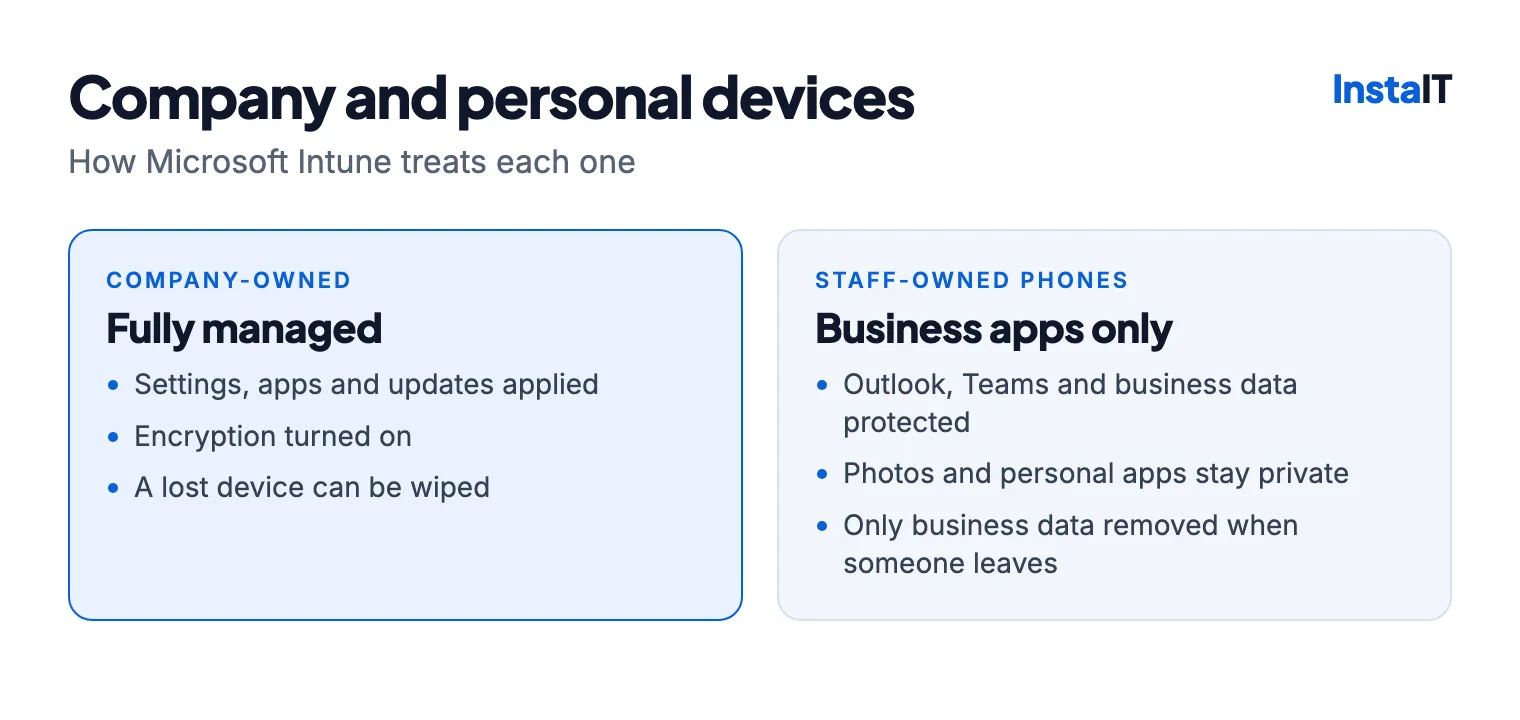
Company-owned devices can be fully managed. You control their settings, apps and updates, and you can wipe one completely if it's lost.
Staff-owned phones need a lighter touch. Intune can protect just the business apps, such as Outlook and Teams, without managing the whole phone. Business data stays inside those apps and can be removed when someone leaves, while photos and personal apps stay private. That's usually easier to agree with staff than full control of their phone.
Windows Autopilot
With Windows Autopilot, a new laptop sets itself up when the user signs in with their work account: apps, settings and security are applied automatically, without IT preparing each machine. It needs Intune and Entra ID, and each laptop must be registered for Autopilot before it's handed out. It suits businesses that buy laptops regularly or have staff in different places.
How a rollout works
- Assess. List your devices, users, licences and apps, and decide who owns which device and how much control is right for each.
- Pilot. Test the settings and apps with a small group first, and fix any conflicts before they reach everyone.
- Deploy. Roll out in stages, check each device has enrolled properly, and write down how it's run day to day.
Common mistakes
- Switching on strict rules for everyone at once and locking people out of email.
- Treating staff phones like company laptops.
- Skipping the pilot, then finding a key app won't install.
- Forgetting existing laptops that still run Windows Home or Windows 10.
- Setting it up once and never reviewing it, so leavers' devices and old policies pile up.
Still running Windows 10? Our Windows 10 ESU guide explains your options.
When to use an Intune consultant
A business with a few laptops and someone confident in Microsoft 365 admin can set up the basics itself. It's worth getting help when:
- you're managing more than a handful of devices, or a mix of Windows, iPhone and Android;
- staff use their own phones for work email;
- you want Autopilot for new laptops;
- you're moving from another management tool, or nobody is sure what's set up already;
- a customer, insurer or tender asks how your devices are secured.
How InstaIT can help
InstaIT provides Microsoft Intune consulting for businesses in Cork: reviewing licences and devices, enrolling Windows laptops, setting up Autopilot, applying device and phone policies, deploying apps, and setting separate approaches for company and staff-owned devices. We roll out in stages, starting with a pilot group, and document how it's run afterwards.
Intune can also be part of our managed IT support, so devices stay managed as staff join and leave.
MICROSOFT INTUNE IN CORK
Planning an Intune rollout?
InstaIT can review your devices and licences and plan a rollout that doesn't lock anyone out. See our Microsoft Intune services.
Ask about Microsoft Intune