


What business IT support covers
Good IT support is more than fixing things when they break. For a typical small business, it covers:
- Help for staff: passwords, email, printers and software that won't behave.
- Microsoft 365: users, licences, email, Teams and SharePoint, and the security settings behind them.
- Laptops and desktops: setting them up, keeping them updated and protected, and planning replacements.
- The office network: broadband, Wi-Fi, switches and the firewall.
- Backups: checking they run, and that files can actually be restored.
- New starters and leavers: accounts, devices and access set up or removed at the right time.
- Advice: what to buy, what to replace and what to fix first.
What you need at your size
Under the EU's definitions, a micro business has fewer than 10 people and a small business has fewer than 50.
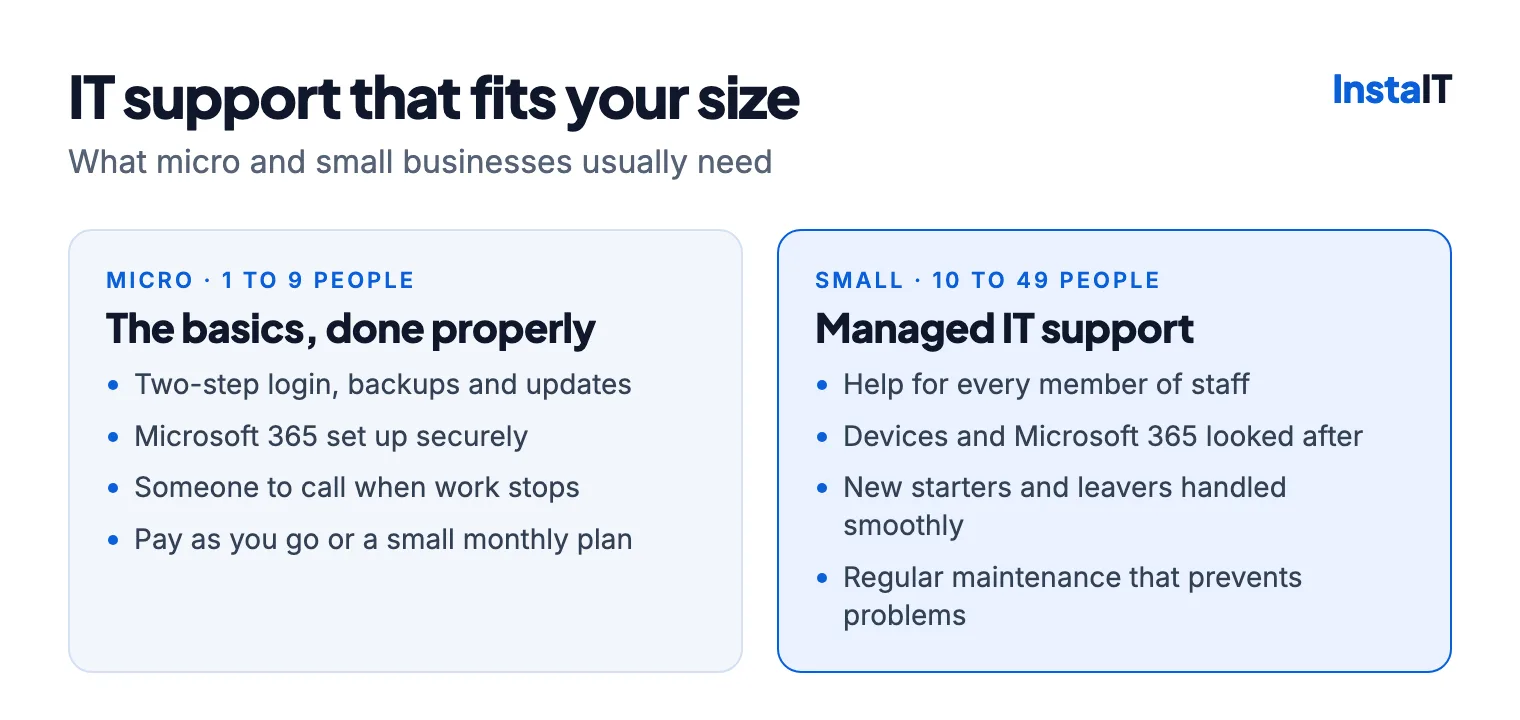
Micro businesses (1 to 9 people) usually have a handful of laptops, Microsoft 365 or Google Workspace, a broadband router and a few online systems. You may not need a monthly contract, but the basics should be set up properly once: two-step login, backups, automatic updates and a separate guest Wi-Fi network. Then you need someone you can call when something stops work.
Small businesses (10 to 49 people) lose more when IT goes wrong, because more people are waiting. Staff come and go, there's more equipment to keep updated, and customers or insurers start asking about security. At this size, managed support, where a provider looks after your systems before problems happen, is usually better value than paying for each fix.
Whatever your size, our cybersecurity checklist for small businesses covers the security basics.
Ways to get IT support
| Type | How it works | Usually suits |
|---|---|---|
| Pay as you go | You call when something breaks and pay per job or by the hour | Micro businesses with simple setups |
| Managed IT support | A monthly fee covers help for staff, maintenance and monitoring | Businesses where downtime costs money |
| Co-managed support | An outside team works alongside your own IT person | Businesses with some IT staff in-house |
| Project work | One-off jobs, quoted separately | Office moves, new networks, moving to Microsoft 365 |
Many businesses combine them: managed support for day-to-day IT, and projects such as an office move or a new network quoted separately.
Remote and on-site support
Most everyday problems, such as a locked account, an email fault or an application that won't open, can be fixed remotely, often quickly and without anyone travelling. Hardware faults, cabling, Wi-Fi problems and new equipment need someone on-site. A local provider can do both: remote help for most issues, and a visit when hands-on work is needed.
How IT support is priced
Monthly IT support is usually priced per user or per device:
- Per user suits teams where each person has their own laptop, phone and Microsoft 365 account.
- Per device suits shared PCs, reception desks and sites with more devices than people.
The price depends on the number of users and devices, any servers and network equipment, how much on-site help you need, out-of-hours cover and which security tools are included. Microsoft 365 licences, new hardware and project work are normally charged separately.
Whoever you choose, get a written quote that sets out what's covered, so there are no surprises later.
Signs you need better IT support
- The same problems keep coming back.
- Someone in the business spends hours a week fixing IT instead of doing their own job.
- Nobody is sure who has the admin passwords.
- New starters wait days for a working laptop and email.
- Nobody has tested whether the backups can be restored.
- A customer, insurer or tender asks about your security, and you're not sure what to say.
Questions to ask a provider
- What exactly is included, and what costs extra?
- How quickly will you respond, and during what hours?
- Will you come on-site when it's needed?
- How will you keep our systems secure and backed up?
- Will the admin accounts and passwords stay in our business's name?
- Is there a minimum term, and what's the notice period?
How InstaIT can help
InstaIT provides managed IT support in Cork for small and medium-sized businesses. Support can cover help for staff, Microsoft 365, laptops and desktops, servers, networks and Wi-Fi, and new starters and leavers, with remote help and on-site visits when they're needed. We can also work alongside an existing IT person.
Support is priced per user or per device. After a short review of your users and systems, you get a written quote setting out what's covered. Devices can also be managed with Microsoft Intune, and our cyber security services cover security reviews and improvements.
IT SUPPORT IN CORK
Need someone to call?
InstaIT supports small and medium-sized businesses in Cork, remotely and on-site. Tell us about your team and systems, and we'll send you a written quote. See our managed IT support.
Ask for an IT support quote